

Keeping up with all the developments in your field is hard.
Turning them into content ideas your audience actually wants to read is even harder.
Most end up doing one of two things:
guessing what their readers might like
recycling topics everyone else is writing about.
What if AI could research trends in your niche, find interesting conversations across social media platforms, and help turn them into content ideas that your audience would love?
Today, I’ll show you how to use Last30Days, a free AI skill that does exactly that.
What Exactly Is Last30Days (and Why Should You Care?)
Last30Days is a free AI skill that researches what people have been discussing in your niche over the past month.
Skills teach your AI how to execute a specific task: steps to follow, the tools to use, and what a good result should look like. They’re one of the best ways to make your AI more powerful.

Once installed, you can reuse a skill whenever you need that job done.
Instead of relying on normal web search, it searches YouTube transcripts, Reddit, X, and other sources, then scores and filters the findings and synthesizes them into a short report.
For Last30Days, that job is researching what people are actually saying about a topic over the past month.
You give it a topic or tell it about your business. It then:
Searches social media platforms like Reddit, X, and YouTube for free.
Reads video transcripts and comments.
Scores and filters what it finds based on relevance, freshness, and engagement.
Puts the useful information into a report with links to the original sources.

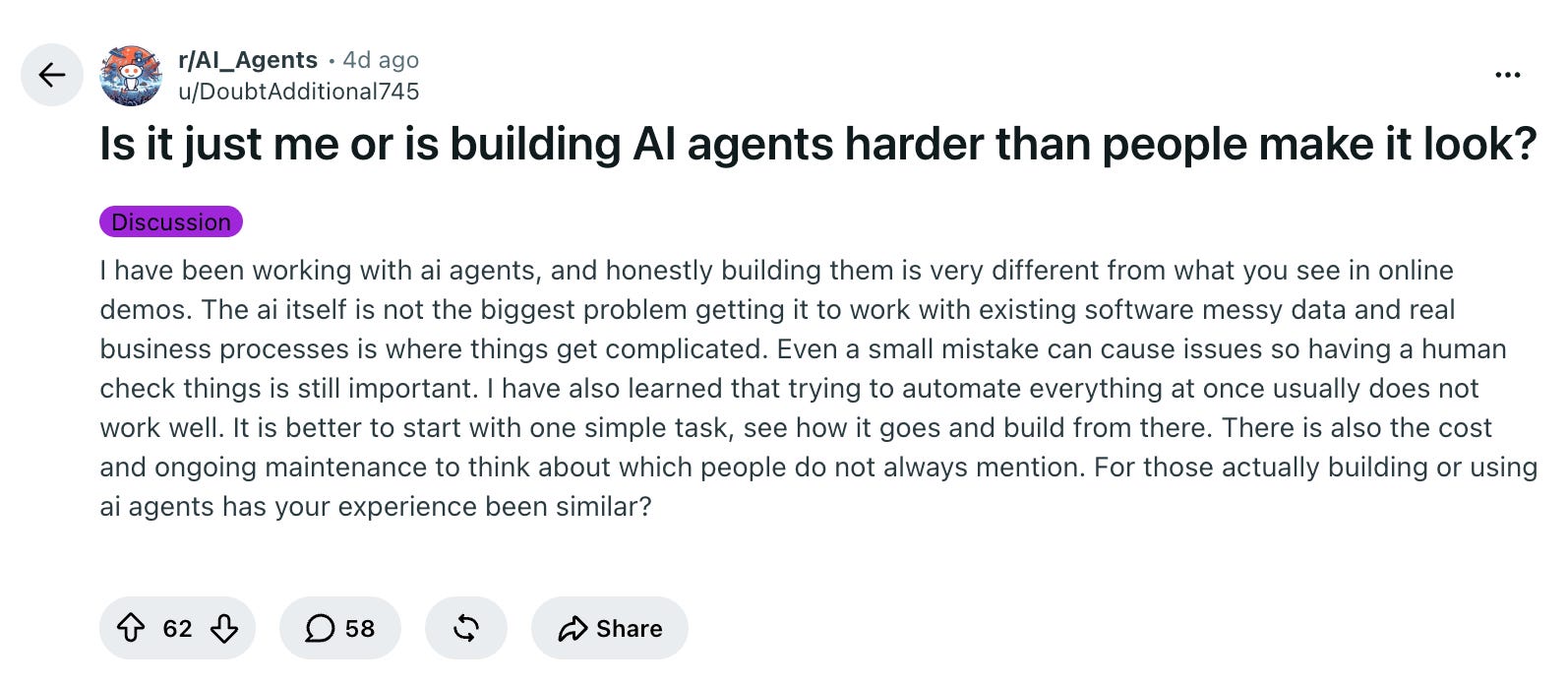
For example, here’s a Reddit discussion it found when I researched AI for solo business owners:
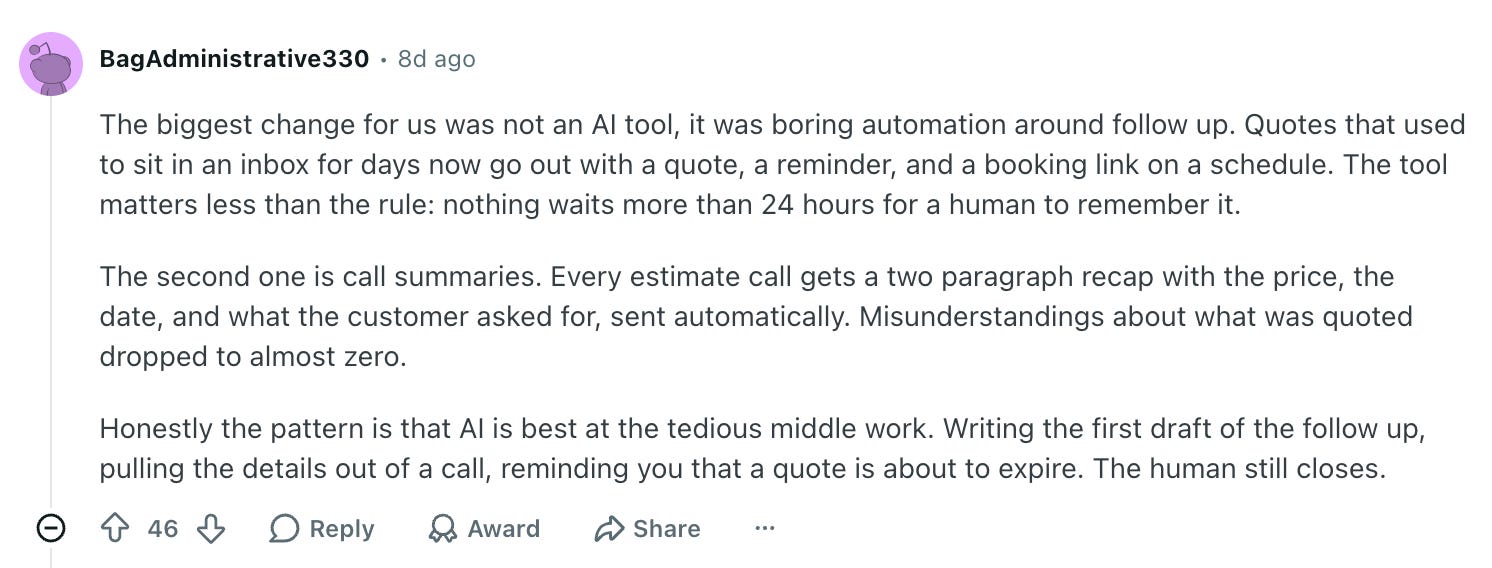
And here’s a comment it found about how a business owner is using AI agents:
In another research run, it found a Copyhackers post on X about noting customer worries and questions during sales calls.
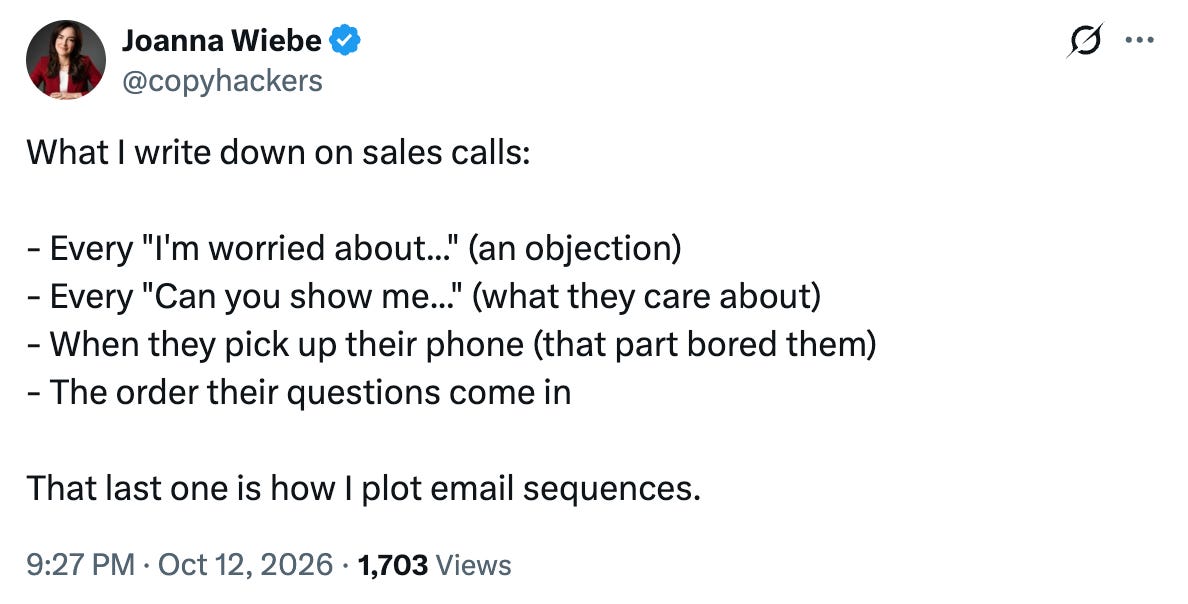
Such conversations are a goldmine for content ideas, but they are scattered across different platforms. Last30Days brings those conversations together and helps you spot problems, debates, and developments worth covering.
Now that you know why this AI skill is so cool, let’s get it working on your computer.
How to Install Last30Days
I’ll use Claude for this setup, but this will work equally well on ChatGPT.
Last30Days needs a few free programs like Python and Go to run its searches. Before installing the skill, we’ll ask the AI to check what’s already on your computer, explain anything missing, and install it after you approve.
Step 1: Switch to Claude Code (if you’re on the Claude platform)
Click on the </> symbol at the top in the app.
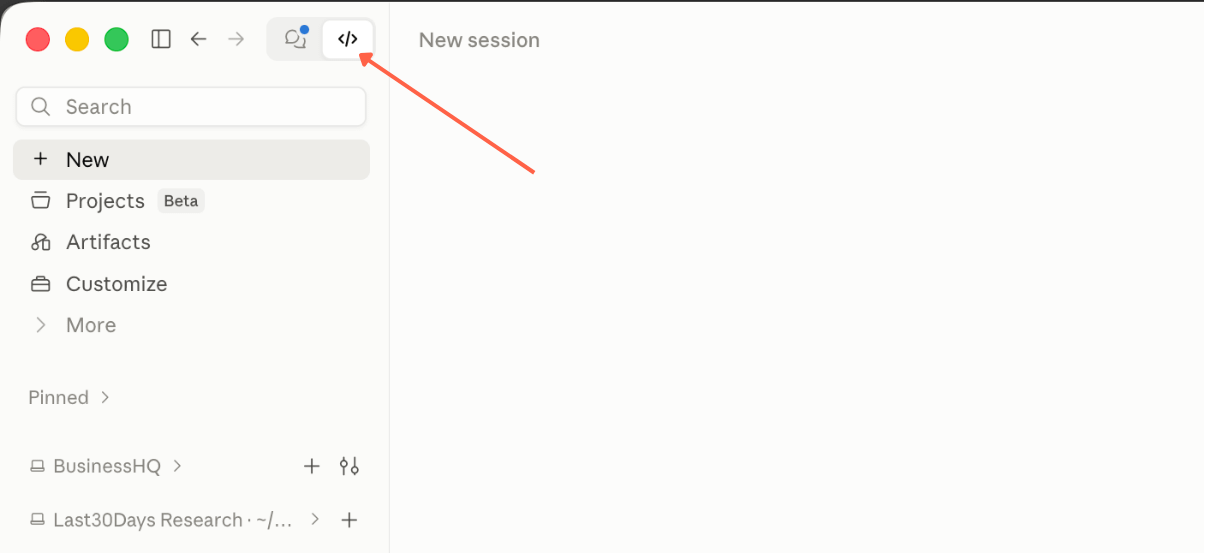
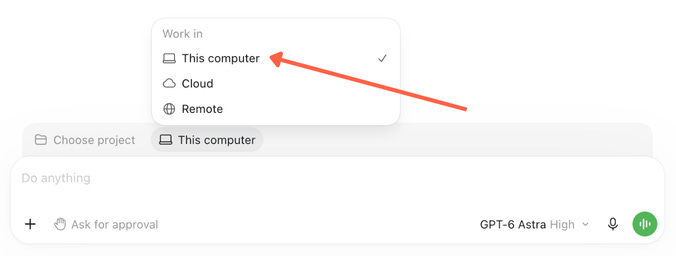
Select ‘local’ at the bottom just above the chat bar. This means we will be installing the programs and the skill locally and not in the cloud.

Switch to Codex (if you’re on the ChatGPT platform)
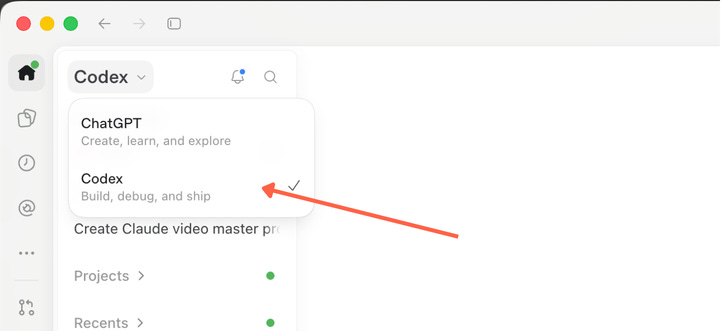
Select ‘local’ at the bottom just above the chat bar.
Step 2: Let AI Check and install the software you need
Open a new chat in Claude Code/Codex and paste this prompt:
Help me set up Last30Days from https://github.com/mvanhorn/last30days-skill. I am not technical, so guide me one step at a time.
Use free sources, including YouTube, Digg, arXiv, and Techmeme. Use no API keys, including saved keys, and skip API-signup offers.
First, check the required software, including Python, yt-dlp, Node.js, and Go. Briefly explain what this setup will let me do. Show a compact table listing only missing tools or incompatible versions, with these columns:

* Tool
* Why it is needed
* What will be unavailable without it
* Estimated disk space

Group related helpers together. Give one overall disk-space estimate, including any extra space needed during installation. Keep this first response short and leave detailed technical explanations for follow-up questions.
Finish with one clear question: “Shall I install these free tools? Reply ‘Go ahead’ to continue.” Wait for my approval before making changes.
After I approve, complete the installation and verify that the helpers run and YouTube search and available captions work. Give me a brief result.
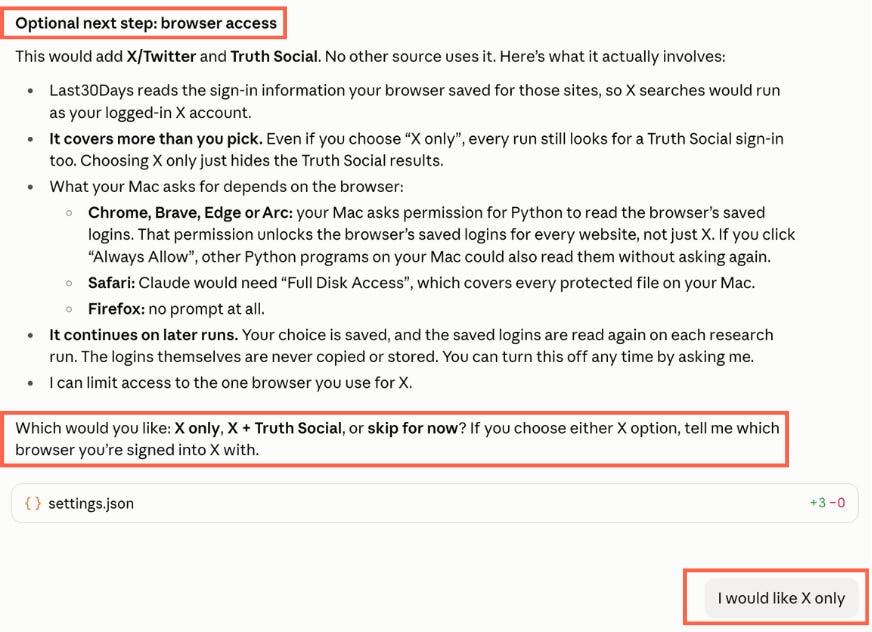
Then offer browser access as an optional next step. List the apps or sources it would add and let me choose which to enable, or skip for now. Before accessing my browser, explain the actual permission scope and whether it continues on later runs. If permission also covers apps I did not select, say so before proceeding.

Handle routine technical choices yourself. Explain computer permission prompts only when relevant. Report failures clearly. Do not start topic research yet.
Claude will show you what needs installing, why it’s needed, and how much space it will take. Like this:
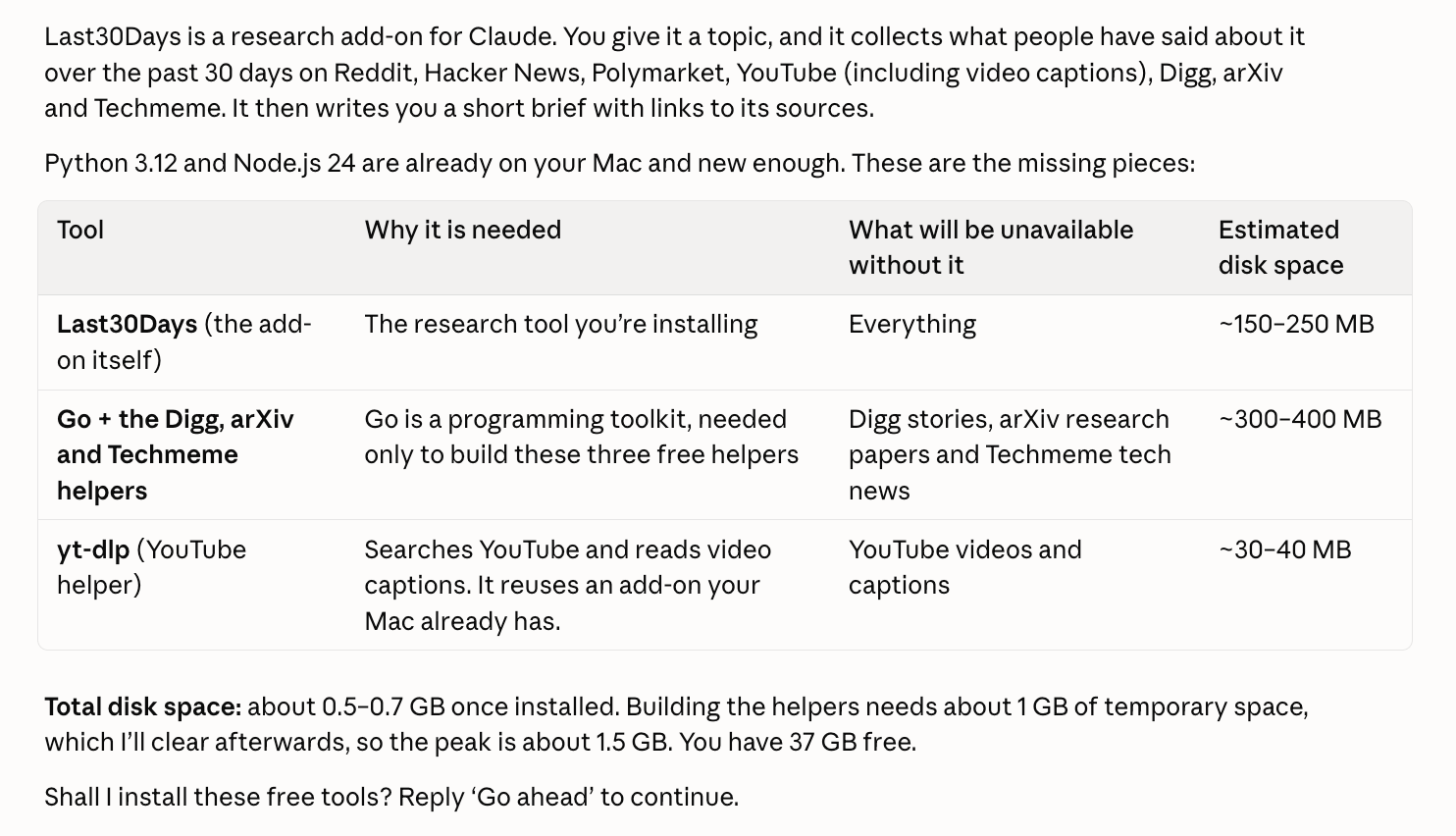
Ask it to explain anything you’re unsure about.
When you’re ready, reply “Go ahead.”
Claude will install the tools and test them. Follow any computer permission prompts it explains along the way.
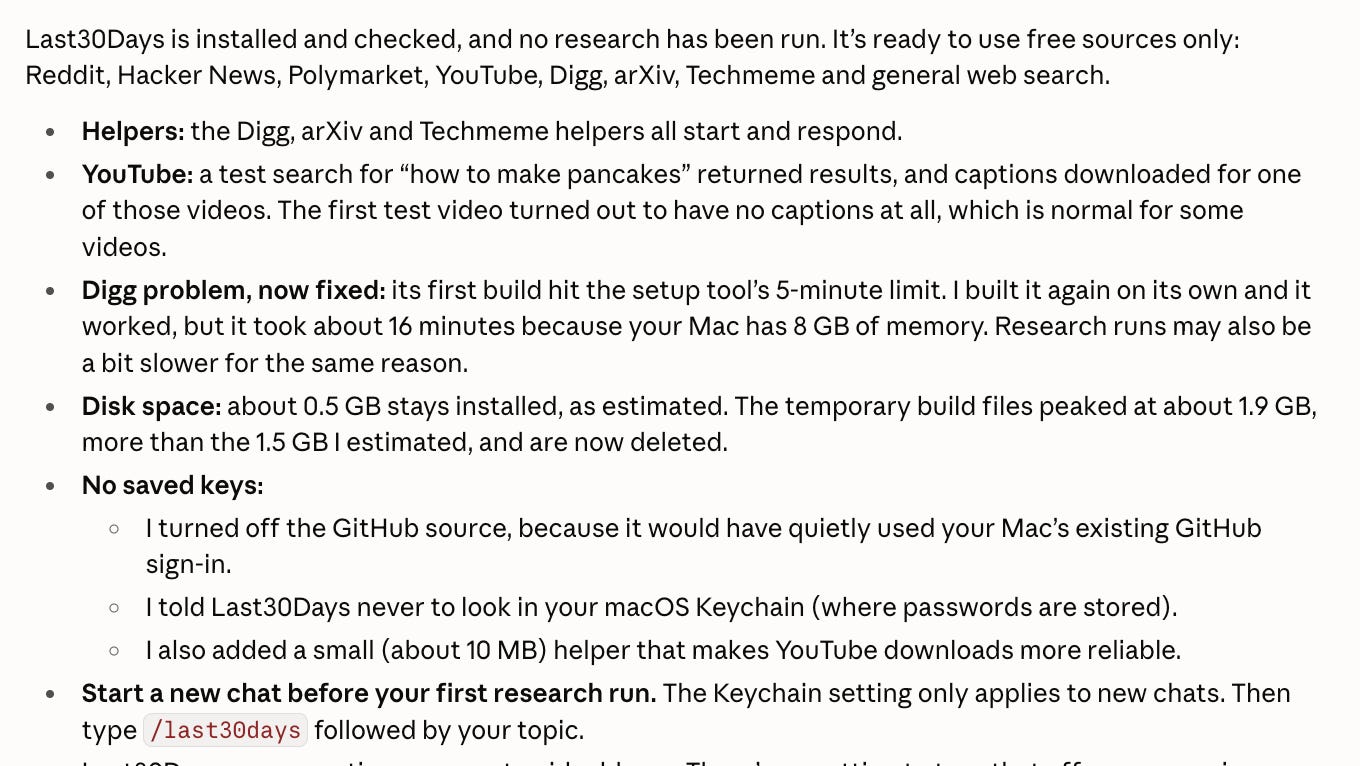
If something fails, paste the error back into the chat and ask Claude to help fix it.
Step 3 (Optional): Add More Sources Through Your Browser Login
Some sources, such as X and Truth Social, need a sign-in already saved in your browser or an API key.
I have designed the above prompt so that Claude will pause and ask you whether you want to grant browser access.
Choose the sources if you want to enable any, or reply “Skip browser access for now.”
I enabled browser access for X during my tests, which let Last30Days retrieve the X posts shown earlier.
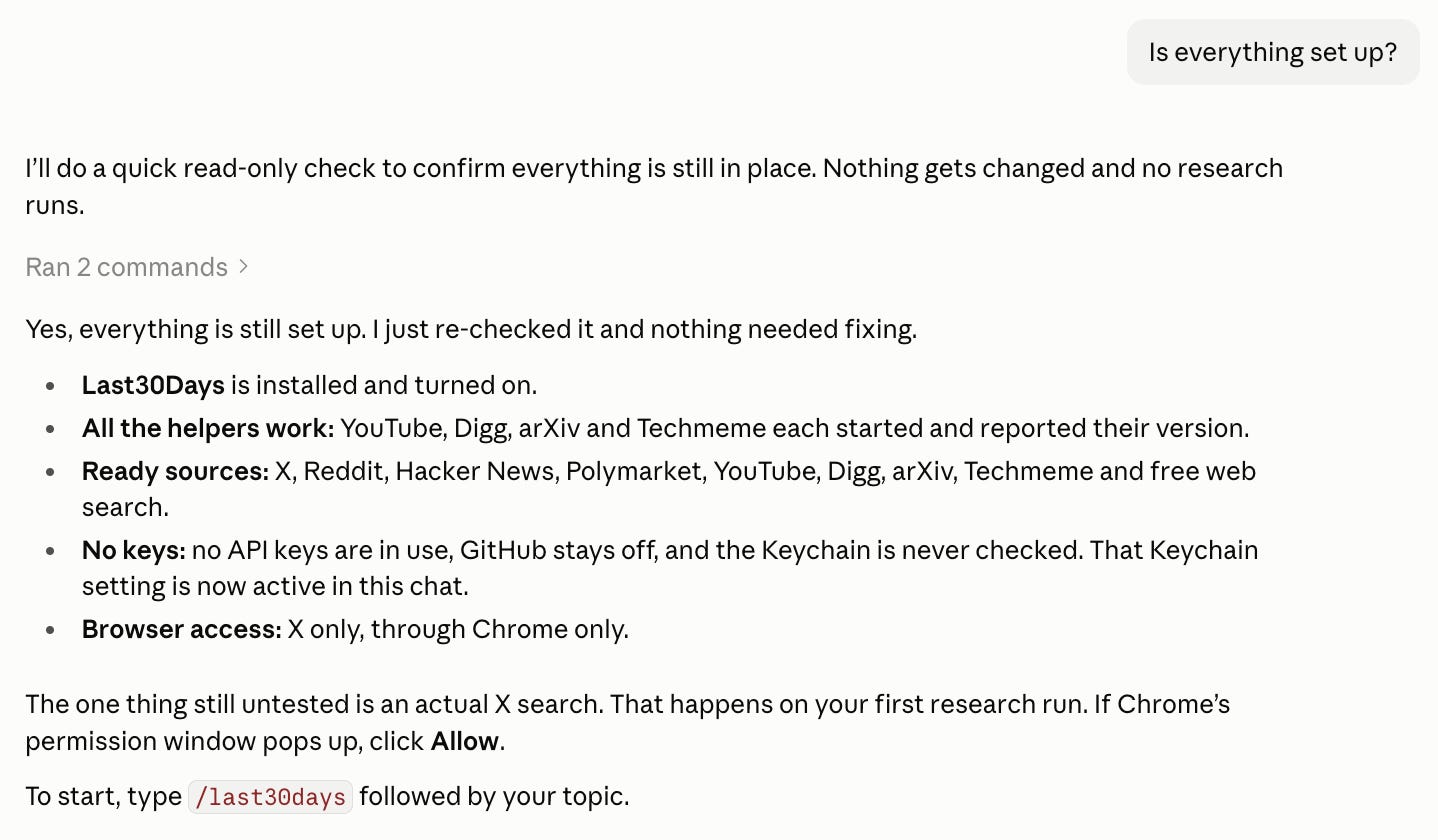
Once Claude finishes, confirm whether the setup is complete.
How to Find What’s Trending in Your Niche and What People Are Asking
Important: Open a new chat session, or the skill might not load.
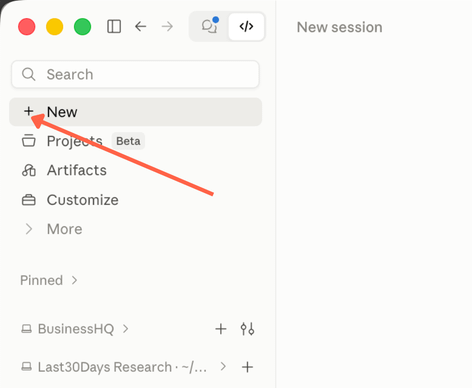
Now, it’s time to tell Claude what you create content about and who it’s for.
That gives it a way to judge which developments and conversations would interest your audience.
Paste this prompt into Claude Code, replacing the parts in brackets:
I create content about [your topic or niche] for [describe your audience].

Use the Last30Days skill to research developments and conversations from the past 30 days that would interest these readers.

Look for:
- New developments that affect them.
- Questions they are asking.
- Problems or frustrations they keep mentioning.
- Interesting examples of how people are doing things differently.

Use normal mode and free sources. Use no API keys, including saved keys. Use only the browser access I have already approved.

Give me a clear report of the most useful findings. For each, explain what you found, why it matters to my audience, and include links to the original sources with their dates.

Tell me which sources returned useful results and whether you retrieved any YouTube captions. Keep what the sources actually say separate from your own interpretation.
For my newsletter, I explained that I help solo business owners use AI to run and grow their businesses.
The AI will research for 5-10 minutes. While the research runs, here’s what happens:
Claude works out what to search for. It uses your topic and audience description to plan the searches.
The skill’s programs collect the material. They retrieve posts, discussions, comments, and available video captions from the sources you’ve enabled.
Last30Days filters and ranks the results. It assesses how closely they match your topic, how recent they are, and how people have responded.
Claude brings the findings together. It explains the useful developments and conversations in a report, with links you can explore.
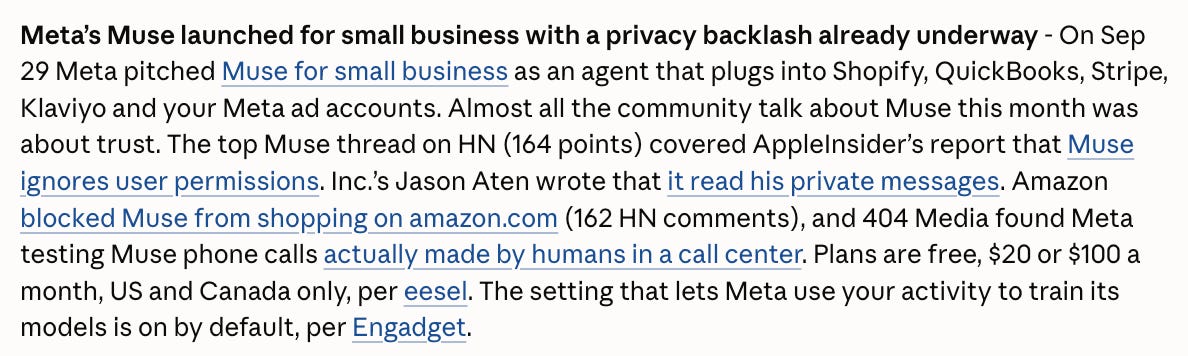
Here are some interesting developments it came up with for my niche:


You can also give Claude your website, newsletter link, or an existing Brand document to help it understand your business and audience.
I did a test run using Doomberg, a newsletter that covers energy, finance, and geopolitics.

Here’s what it came up with:


Powerful!
You now have recent discussions and developments to work with. Let’s pick one and go deeper.
Go Deeper Into a Topic You Like
When a topic catches your attention, ask Last30Days to investigate it more thoroughly.
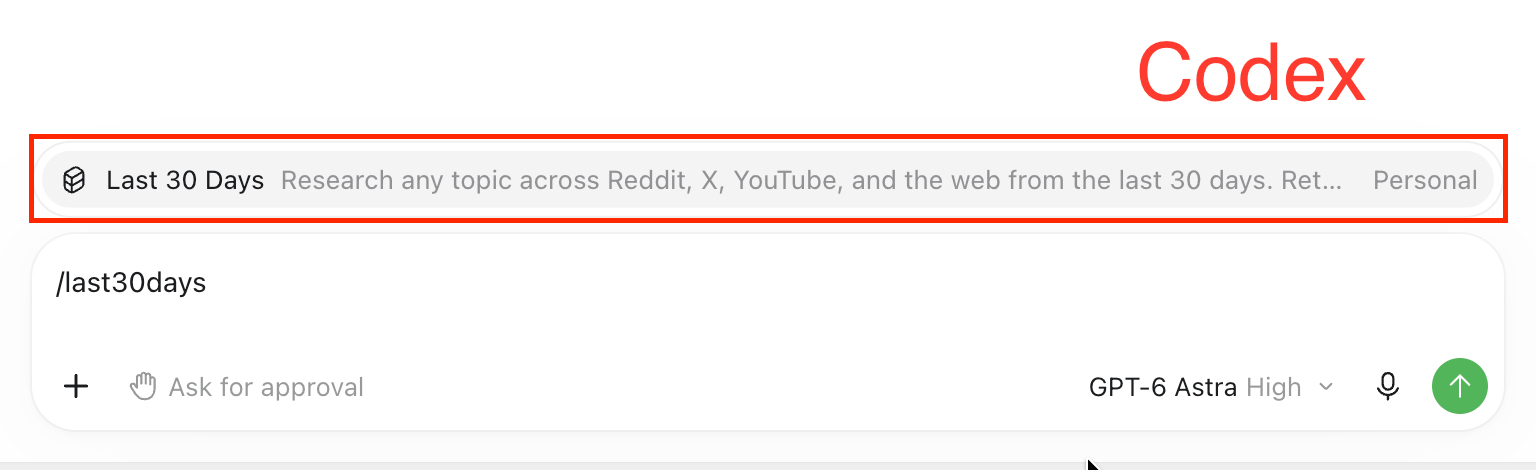
In the chatbox, type /last30days and you’ll see the skill listed:

After typing /last30days, type the topic you chose, followed by —-deep like this:

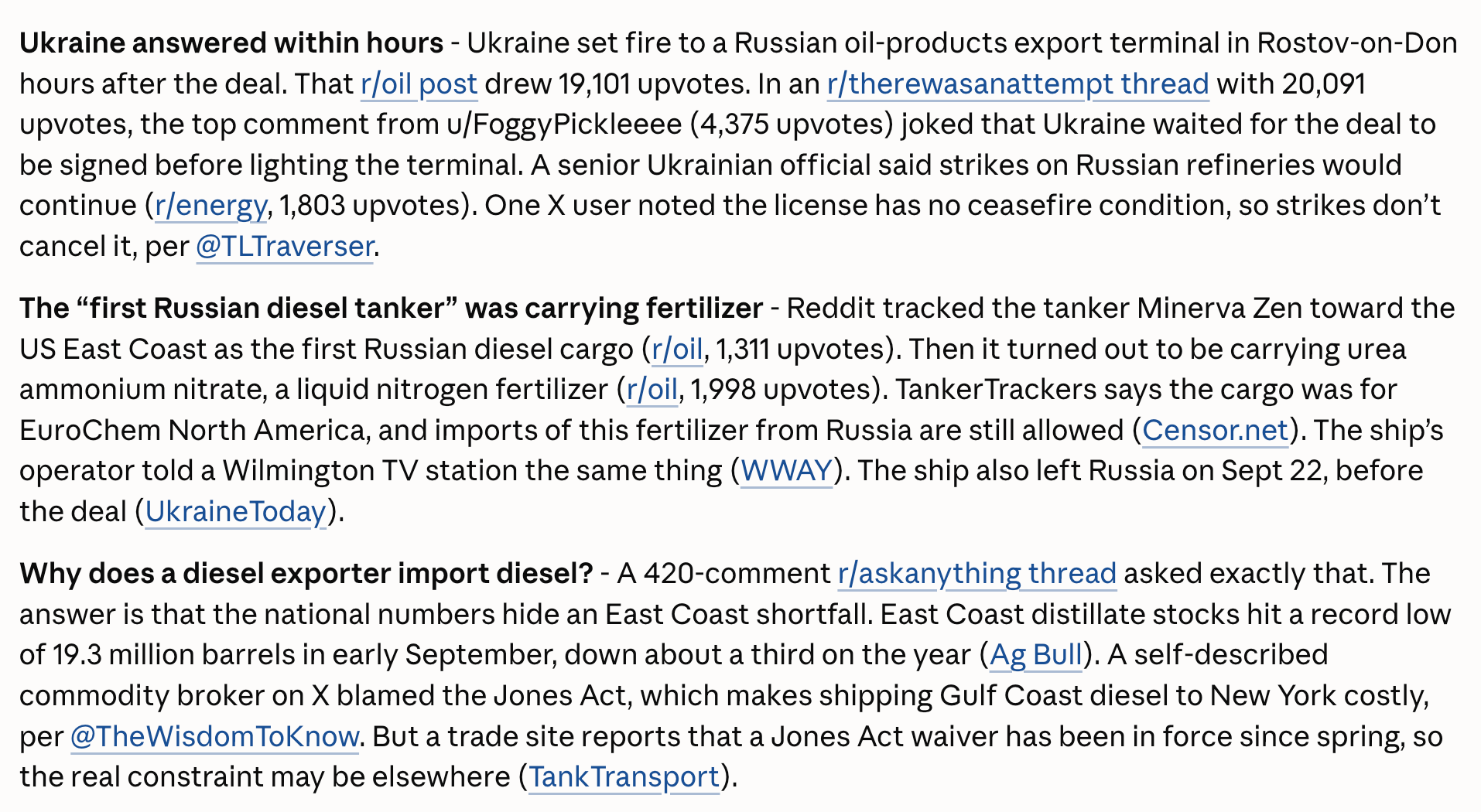
Adding --deep asks the skill to search more broadly and collect more material about that topic. For the Doomberg example, I chose the Russian diesel waiver from the initial research.
The deeper report revealed deep discussions around the topic.
Payoff time!
We have tons of details now. Let’s turn them into content ideas your audience would care about.
Turn Your Research Into Content Ideas Your Audience Would Love
Now, we’ll ask Claude to analyze the best performing posts in our newsletter to understand what type of content resonates the most with the audience and generate content ideas accordingly.
Paste this prompt into the same chat session where you conducted the research:
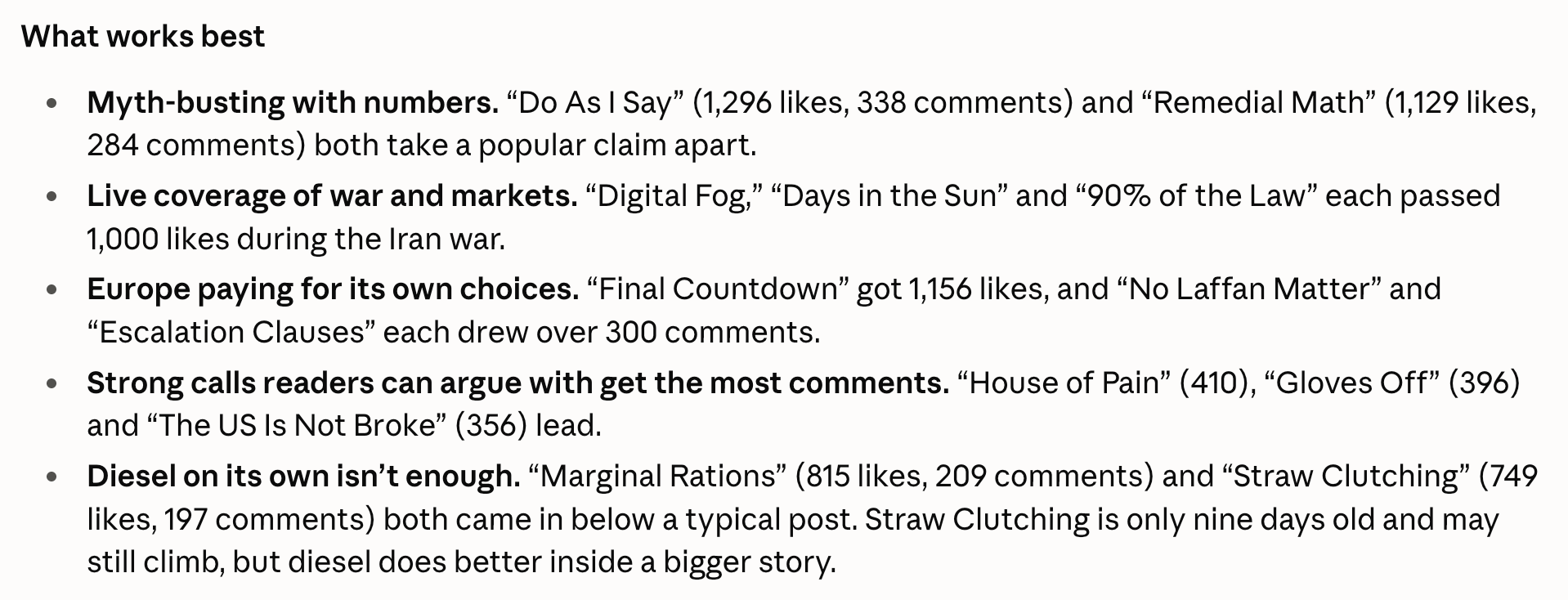
Read the best performing posts from my newsletter (newsletter link) and their comments deeply to understand what type of content resonates the most and give me 5 newsletter ideas around this topic.Here’s the analysis it did:
Here are the ideas it came up with for Doomberg:

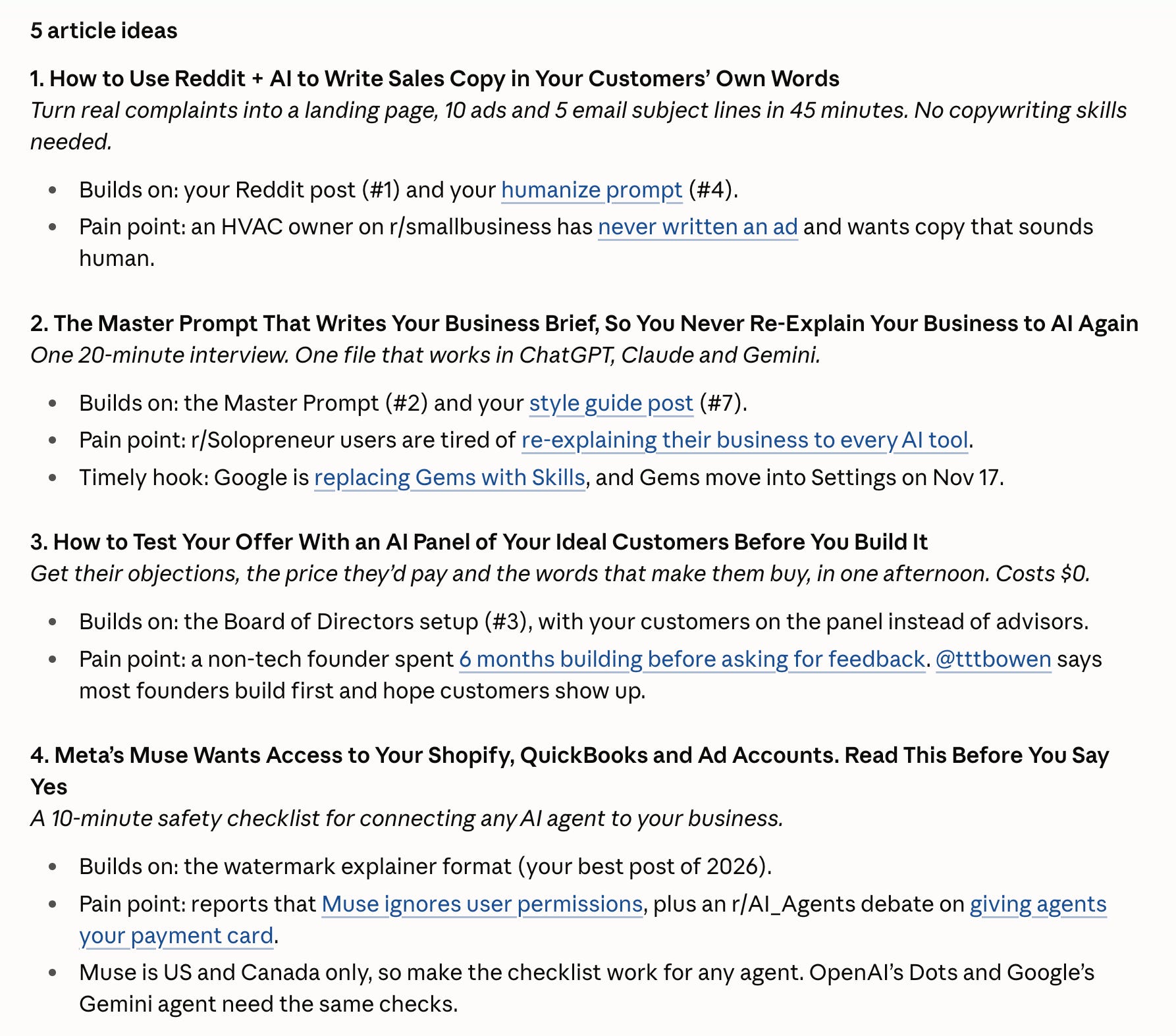
Here’s what it produced for my publication:
Awesome!
How To Go Even Further
Now that you have the content ideas, choose the one you like and ask Claude to mine the research or use the skill again to find social media posts to support the article.
Use this prompt in the same chat session:
Cool. Now, give me the top social posts that I can use for the article [article topic]. You can search for fresh posts as well.Here’s what it came up with:
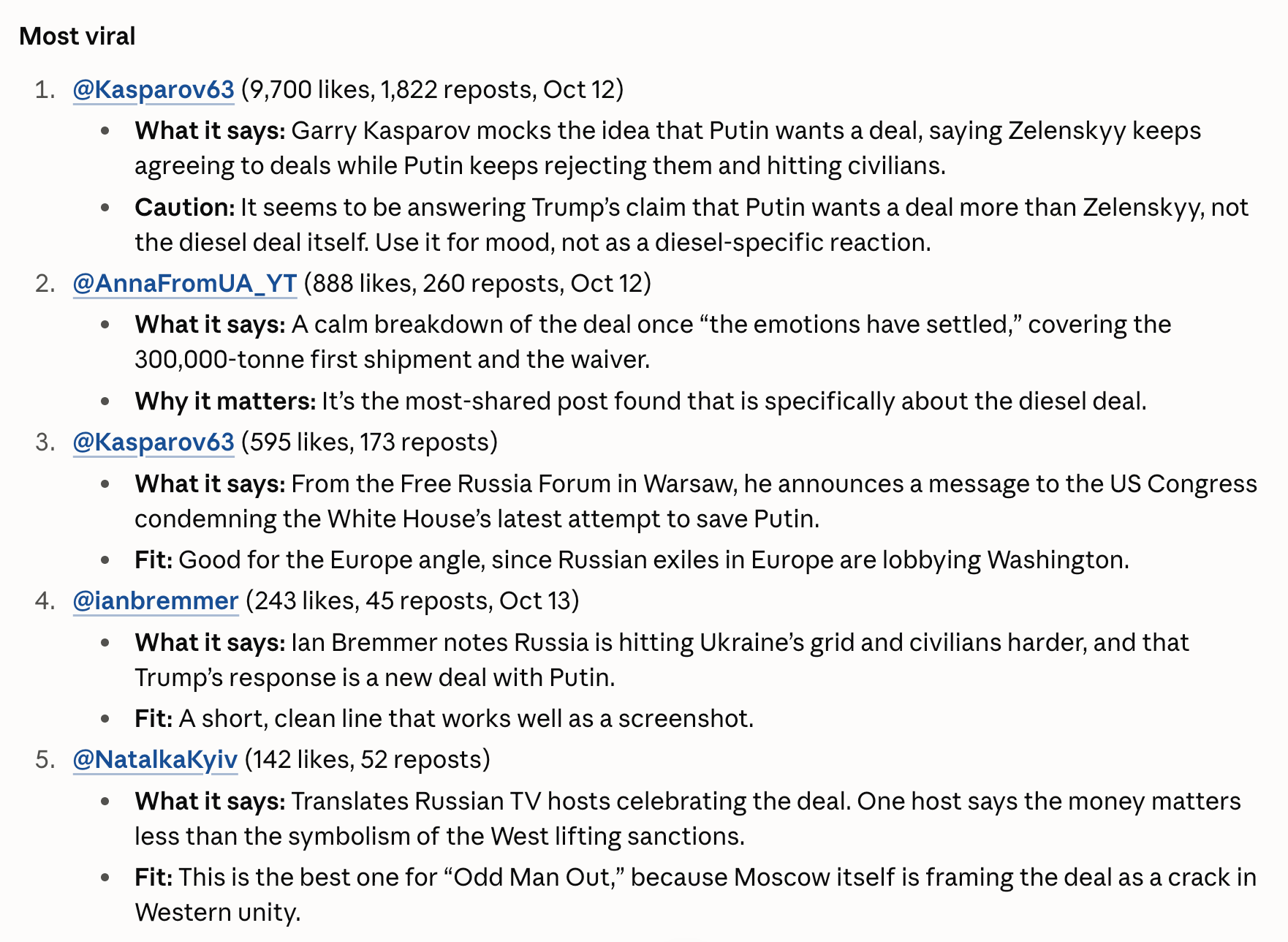
Pretty dang amazing!
Make This Your Content Research Routine
Don’t start blind. Begin with an understanding of what your audience wants.
Use this workflow whenever you’re planning your next newsletter, article, or social post.
Start with your niche and audience. Find recent discussions, investigate a promising topic, and turn the findings into ideas you could develop. Then gather the sources that help you tell the story.
Your next content idea could be hiding in a Reddit thread, an X post, or a YouTube discussion. Now you have a way to find those conversations, explore them, and turn them into something useful for your readers.
Try this with your own niche. Then tell me in the comments: what did Last30Days uncover that you’d otherwise have missed, and what would you create from it?
Know someone who’s frustrated hunting for fresh content ideas? Send them this guide.
And subscribe for more. I’ll keep sharing the setups I’m testing in my own business, with the steps and prompts so you can try them too.